How to Become a Daraz Seller in Bangladesh: Registration, Fees & Growth
Learn how to become a Daraz seller in Bangladesh, register an account, list products, understand fees, manage orders, and grow…
 by Sheikh Ornob

A Nagad merchant account turns a phone number into a payment counter. For small shops, that can mean faster checkout and cleaner records. The trick is setting it up with...
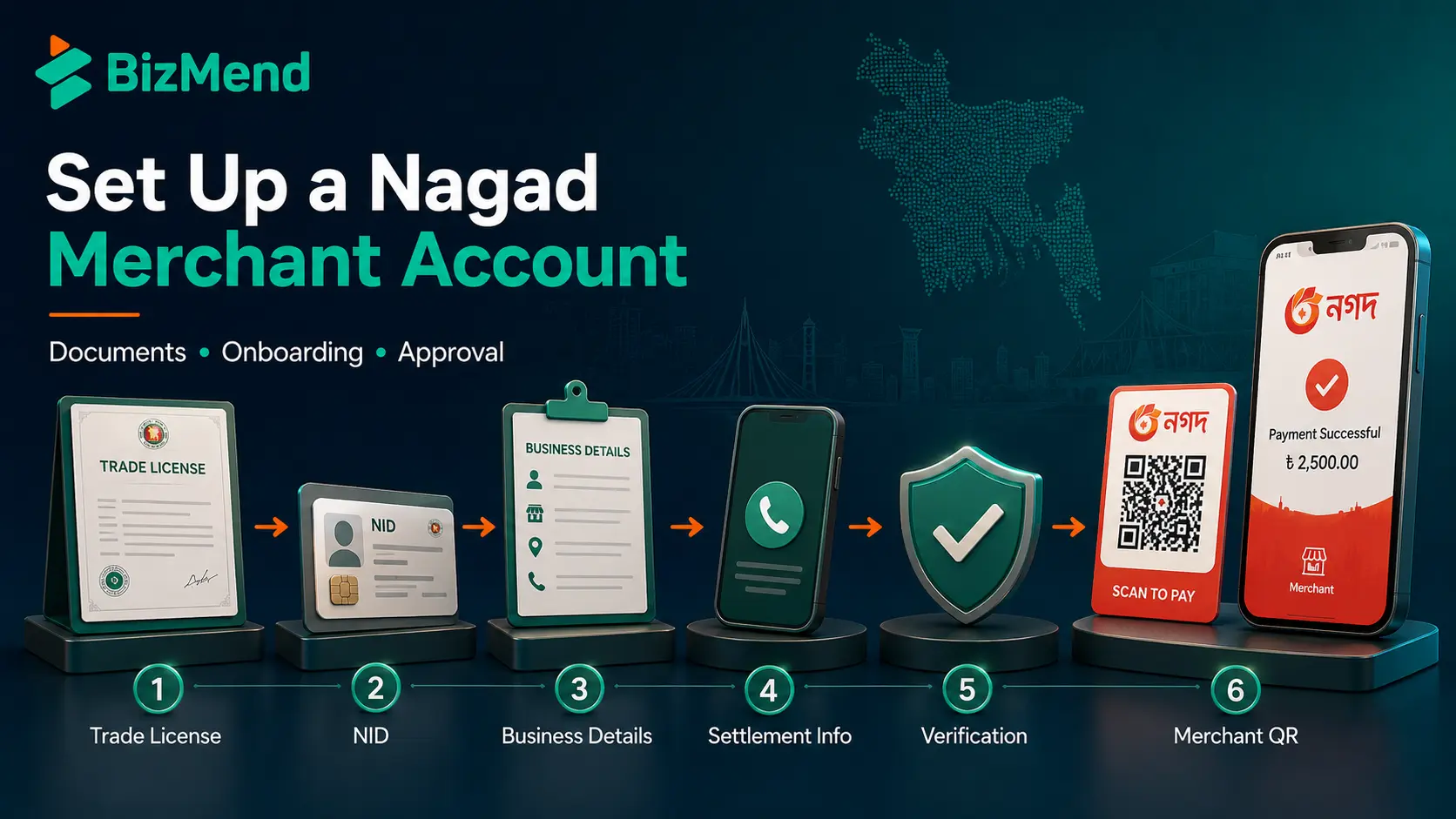
A Nagad merchant account turns a phone number into a payment counter. For small shops, that can mean faster checkout and cleaner records. The trick is setting it up with the right papers first.
Nagad is still one of Bangladesh’s biggest mobile financial services brands, with current reporting placing it second in the market and above nine crore registered users. But business payment setup isn’t just about popularity. You need the right merchant registration path, a clear customer payment flow, and a record system your cashier can follow on a busy day. This guide walks through those moving parts in plain business language.
A Nagad merchant account is a payment-receiving account for a business. It lets customers pay you through Nagad instead of handing over cash or sending money to a personal wallet. For a shop, restaurant, clinic, coaching center, or ecommerce seller, that difference matters.
Think of it like using a named cash counter instead of a staff member’s pocket. The customer sees a merchant name or number, the business gets a payment trail, and the cashier can match the payment with an invoice, order ID, table number, or customer name.
| Account type | Best use | Why it matters |
|---|---|---|
| Personal Nagad account | Individual transfers and everyday wallet use | It’s tied to a person, so it’s weaker for business records. |
| Nagad merchant account | Shop, ecommerce, service, or institutional payment collection | It creates a cleaner payment route for sales and customer references. |
| Nagad Islamic merchant account | Business collections under Nagad Islamic terms | The Financial Express reported trade license verification and one account against one trade license. |
A merchant account is less about looking formal and more about keeping sales money traceable.
Nagad’s public site shows official contact and merchant locator options, but detailed standard merchant onboarding rules aren’t always visible on one public page. So prepare the documents a payment provider will usually ask for, then confirm the current list before you submit anything.
For Nagad Islamic merchant onboarding, the visible request form asks for name, phone, email, address, division, district, thana, business type, product or service type, and whether you have a trade license. That tells you the first screening is practical: who are you, where do you trade, and what are you selling?
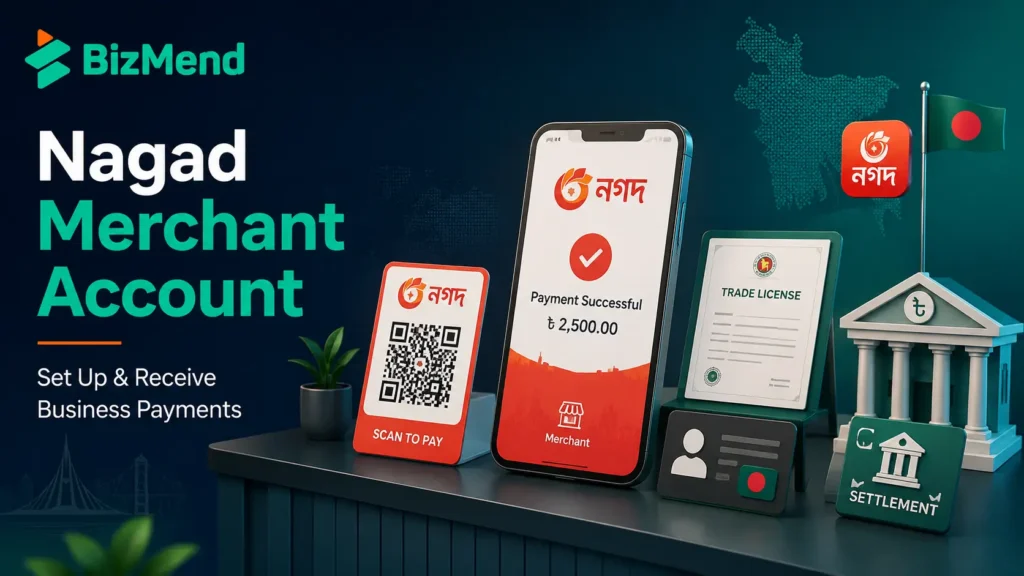
Start with the official route. Use Nagad’s website contact page, merchant locator, Nagad customer support, or the Nagad Islamic merchant request form if you specifically want the Islamic account option. Avoid random third-party pages that promise instant approval without checking your documents.
Don’t rush the last step. A test payment is boring until it saves you from a Friday night order dispute. Check the customer screen, cashier confirmation, SMS or app notice, and transaction history before you train staff.
The setup isn’t finished when the account opens. It’s finished when your staff can prove a payment landed.
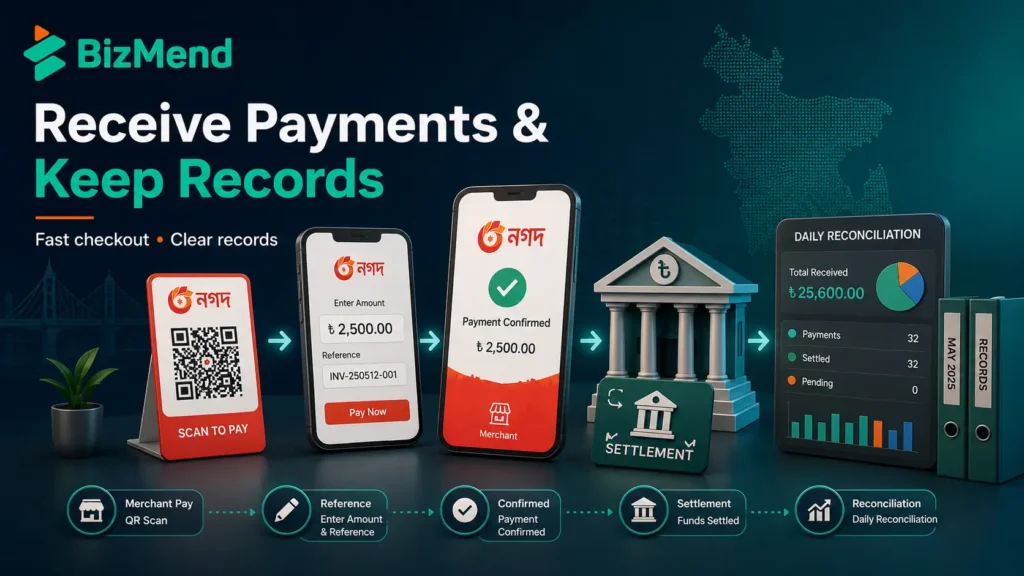
Customer payment is usually simple. Several Bangladesh merchant and institution payment pages describe the same pattern: open the Nagad app or dial *167#, choose Merchant Pay, and enter the merchant number, amount, reference, and PIN. Some merchants also display a QR code for scanning.
| an orderPayment step | What the customer does | What your business should check |
|---|---|---|
| Open Nagad | Uses the app or dials *167# from the registered SIM | Make sure staff know both app and USSD flows. |
| Choose Merchant Pay | Selects the merchant payment option | Use the exact merchant number or QR code. |
| Add amount and reference | Types the bill amount and invoice or order reference | Ask for a reference format, such as an order number. |
| Confirm with PIN | Approves the transaction securely | Never ask for or view the customer’s PIN. |
| Show confirmation | Shares the success screen or SMS | Match amount, reference, and time before delivery. |
For eCommerce, add a payment reference rule on the checkout page. For example, ask customers to use the order ID in the reference field. Without that, your team may receive ten payments of Tk 500 and spend half an hour guessing which buyer paid first.
This is where you slow down. Nagad’s visible public charge pages may not show every merchant term clearly, and merchant fees can vary by agreement, product type, channel, and campaign. Don’t publish a fee to customers until you’ve confirmed it from Nagad’s current merchant terms.
Use references like receipts. A reference field is not decoration. It’s the tiny label that helps you match money to a sale when a customer calls two days later and says, “Bhai, I already paid.”
Bangla QR is a big deal for Bangladeshi businesses because it pushes merchant payments toward one common QR standard. The Daily Star reported on April 2, 2026, that Bangladesh Bank instructed banks and financial service providers to replace separate merchant QR codes with Bangla QR by June 30, with penalties up to Tk 30 lakh.
Bangladesh Pratidin also reported in May 2026 that the central bank governor said Bangla QR would become mandatory for all types of businesses starting the following July. The point is simple: customers should be able to scan one QR code and pay through a participating bank app or MFS platform, including names like bKash, Nagad, and Rocket.
The most common mistake is using a personal Nagad number as the main business collection channel for too long. That may feel easy in the first month, but it gets messy once you add staff, recurring buyers, refunds, delivery riders, and accounting questions.
A merchant account should make collection calmer, not more confusing. If your cashier needs a notebook, three screenshots, and a phone call to confirm one payment, the process needs cleaning before volume grows.
A Nagad merchant account can be a practical collection tool for Bangladesh shops and online sellers, especially where customers already use MFS payments daily. Just set it up like a business system, not a shortcut. Prepare the documents, confirm current terms, train staff on Merchant Pay, and keep records from day one. That’s how digital payment starts helping instead of creating more admin work.
A Nagad merchant account is a business payment receiving account that lets customers pay a shop, service provider, ecommerce seller, or institution through Nagad Merchant Pay, QR code, or merchant number. It’s different from a personal wallet because it’s meant for sales collection and business records.
Prepare a valid trade license, NID of the owner or authorized person, business phone number, address, product or service category, and settlement information. Depending on your business type, Nagad may ask for TIN, BIN, bank account details, photos, or extra verification.
You may receive money in a personal Nagad account, but that’s not the cleanest route for business collections. A merchant account gives you a clearer payment identity, better reference handling, and a stronger base for staff processes, refunds, and accounting.
Customers usually open the Nagad app or dial *167#, choose Merchant Pay, enter your merchant number or scan your QR code, add the amount and reference, and then confirm with their PIN. Your staff should verify the amount, reference, and success confirmation before releasing goods or services.
Current reporting from The Business Standard describes Nagad as Bangladesh’s second-largest MFS provider, with more than nine crore registered customers. Because the market and regulatory status can change, businesses should verify the latest figures before using them in investor decks or public claims.
Bangla QR doesn’t remove the need for a payment-receiving setup. It changes the QR layer by pushing merchants toward one interoperable code that can accept payments from participating banks and MFS apps. Ask Nagad how your merchant account and QR display should work under the current Bangla QR rules.

Learn how to become a Daraz seller in Bangladesh, register an account, list products, understand fees, manage orders, and grow…
by Sheikh Ornob
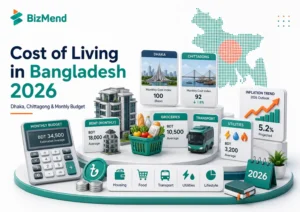
Compare the cost of living in Bangladesh in 2026, including Dhaka and Chittagong rent, food, transport, utilities, inflation, and monthly…
by Sheikh Ornob
Learn MoA and AoA requirements in Bangladesh, key clauses, drafting basics, RJSC filing steps, amendments, and common company-registration mistakes. Suggested…
by Sheikh Ornob