
 by Sheikh Ornob
Withdrawing money shouldn’t need a branch visit every time. Upay mobile banking gives Bangladeshi users another way to pay, transfer, recharge, and cash out. But you still need to know where it fits.
Upay is the MFS brand of UCB Fintech Company Limited, a United Commercial Bank subsidiary that started after receiving a Bangladesh Bank license in early 2021. This guide explains what Upay does, how to open and use an account, which features matter most, and where you should check fees or limits before sending money. It also explains why Upay is a wallet, not a full bank account for everyday use.
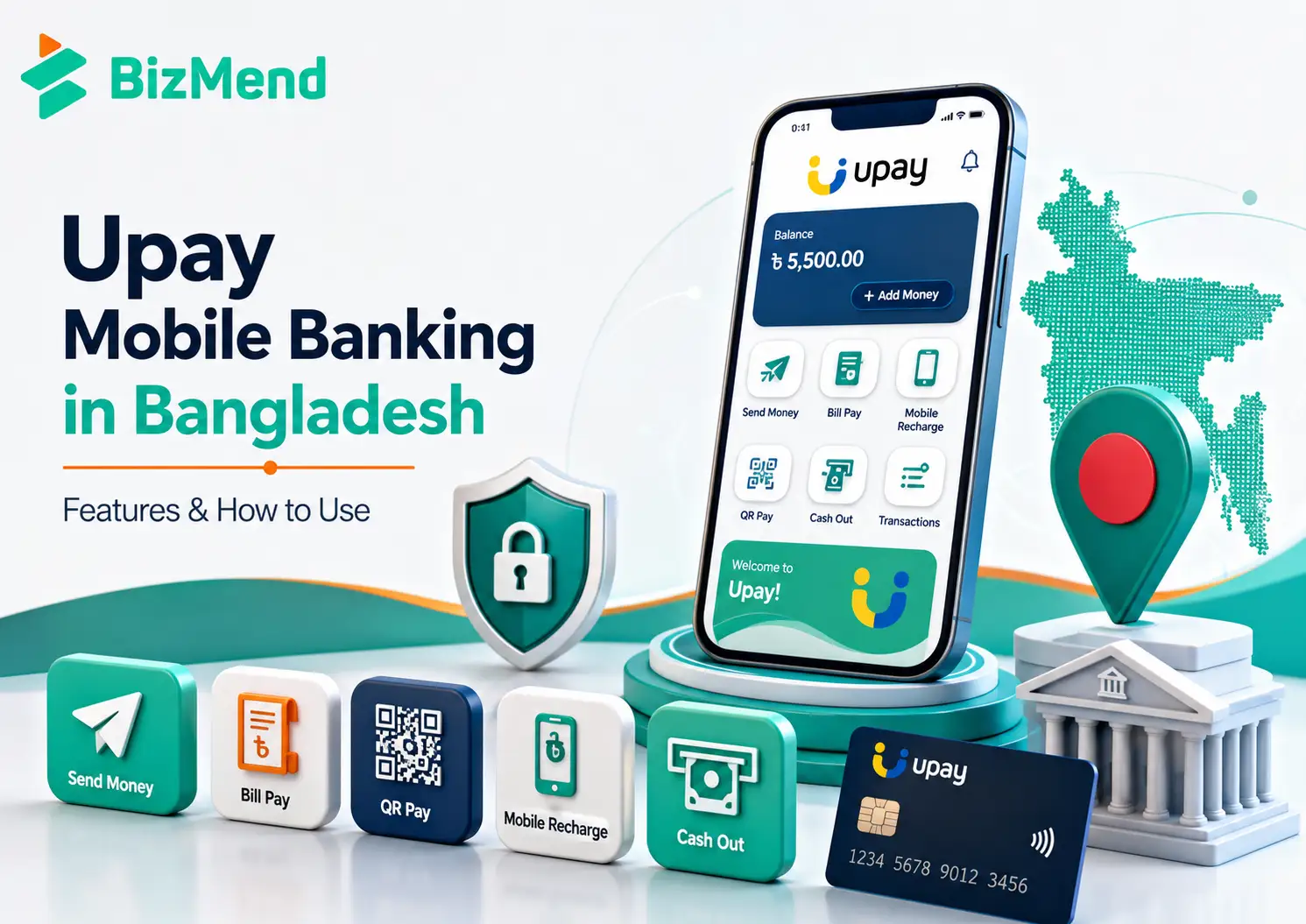
Quick answer: Upay is the Bangladesh mobile financial service brand of UCB Fintech Company Limited, a United Commercial Bank subsidiary. You can open an account with a phone number and NID, then use the app for send money, cash in, cash out, add money, bill payments, mobile recharge, QR payments, Payoneer withdrawals, and the UCB upay prepaid card.
Key Takeaways
- Upay is owned by UCB Fintech Company Limited, which is tied to United Commercial Bank PLC and licensed under Bangladesh Bank oversight.
- The app covers everyday wallet tasks: sending money, cash in, cash out, add money, bill pay, recharge, QR payments, and online payments.
- You can register with an active mobile number and NID, and Upay’s FAQ says one NID can open one account.
- Bangladesh Bank MFS ceilings matter, including daily agent cash out of BDT 30,000 and maximum account balance of BDT 500,000.
- Upay’s UCB connection adds banking-adjacent features, such as a prepaid card, Payoneer balance transfer, remittance, and bank account fund transfer.
- Cash out, bank transfer, and card use can carry charges, so check the app or official charges page before each larger transaction.
- Upay is worth comparing if you already use UCB services, receive Payoneer funds, or want a wallet with UCB-linked extras.
- For small daily payments, reliability at your nearby agents and merchants matters as much as app features.
What Is Upay Mobile Banking?
Upay is UCB Fintech Company Limited’s mobile financial service in Bangladesh. UCB Fintech is a subsidiary of United Commercial Bank PLC, and Upay began after receiving a Bangladesh Bank license in early 2021.
That matters because Upay isn’t a standalone phone wallet with no banking parent behind it. It’s a mobile financial service connected to one of Bangladesh’s private commercial banks, but your Upay wallet is still an MFS account, not the same thing as a full UCB bank account.
Think of it as a daily money pocket. You use it for smaller, frequent transactions, while your bank account handles heavier savings, loans, and formal account needs.
| Field | What to know |
|---|---|
| Owner | UCB Fintech Company Limited |
| Bank connection | United Commercial Bank PLC |
| Launch context | Began in early 2021 after Bangladesh Bank licensing |
| App scale | Google Play listed more than 5 million downloads in May 2026 |
| Support | Upay lists 16268 and 09610916268 for customer support |
Upay is best understood as a daily wallet with bank-linked edges, not a full bank account in your pocket.
Upay Features You Can Use Day to Day
The practical value of Upay sits in ordinary tasks. You can send money to another Upay user, cash in through agents, cash out through agents or UCB ATMs, add money from banks or eligible cards, recharge mobile numbers, and pay bills.
Google Play’s current listing also names online payments, QR or mobile number payments at stores, ticket booking, Bangla and English language options, and a personalized wallet view for money sources such as salary, disbursement, and remittance.
- Sending money helps with quick transfers to another Upay wallet.
- Add money can pull funds from banks or eligible debit and credit cards.
- Pay bill covers utilities, credit card bills, internet, telephone, and similar providers.
- Make payment lets you pay merchants by QR code or mobile number.
- Recharge supports major mobile operators in Bangladesh.
- Ticket and travel services can reduce small payment steps inside the app.
How to Open an Upay Account
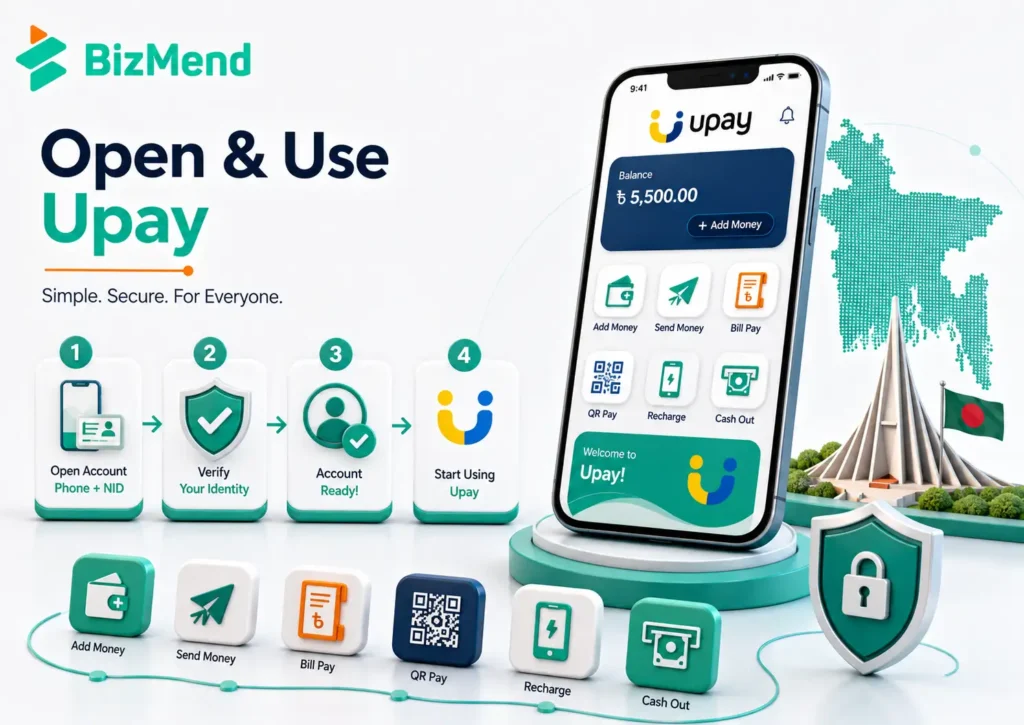
For most users, the app route is the cleanest starting point. Opening an account needs a phone number and an NID card, and its FAQ says one NID can open one Upay account.
- Download the upay app from Google Play or the App Store.
- Use your active mobile number and enter the OTP.
- Enter or capture your NID details as the app asks.
- Take the required photo or finish the identity check.
- Set your PIN, then keep it private from everyone.
- Confirm your profile status before moving larger amounts.
Grameenphone users have also had a USSD account opening route through *268#. That can matter for feature phone users, but app-based registration is usually easier when profile completion needs photos.
How to Use Upay for Common Transactions
Once the account is active, the workflow is similar across most wallet tasks: choose the service, enter number or bill details, enter amount, review the screen, and then confirm with PIN. Don’t rush the review screen. It is your last checkpoint.
The cheapest transaction is the one you don’t have to reverse.
Send Money and Request Money
For a person-to-person transfer, choose “send money,” enter the receiver’s Upay number, type the amount, review the name and number, and then approve with PIN. Request money works the other way around, with the receiver asking you to send a set amount.
Cash In, Cash Out, and Add Money
“Cash in” usually means putting physical cash into the wallet through an agent. “Cash out” means taking wallet money back as cash through an agent or supported ATM. “Add money” means pulling funds from a bank account or eligible card into Upay.
Bills, Recharge, and Merchant Payments
For bills and recharge, the main risk is entering the wrong account number or mobile number. For merchant payments, check the merchant name before PIN entry. Upay also lists payment categories such as traffic fine, land tax, toll payment, and education.
Limits, Charges, and Cash Out
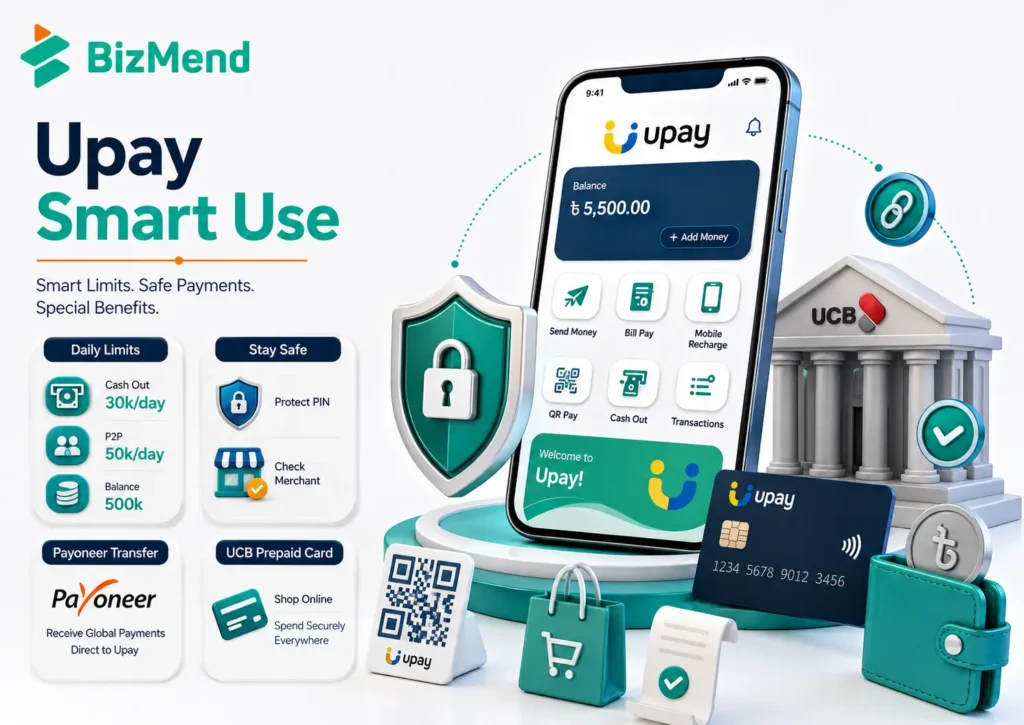
Limits are where new wallet users often get surprised. Bangladesh Bank re-fixed MFS limits in March 2025: daily agent cash-in at BDT 50,000, daily agent cash-out at BDT 30,000, daily P2P at BDT 50,000, and maximum wallet balance at BDT 500,000.
That doesn’t mean every Upay screen will always let you move that amount. Providers can apply product rules, risk checks, profile limits, channel limits, and service downtime. For big transfers, check Upay’s Limits and Charges page or the app before you start.
| Limit area | Reported ceiling |
|---|---|
| Agent cash-in daily | BDT 50,000 |
| Agent cash-in monthly | BDT 300,000 |
| Agent cash-out daily | BDT 30,000 |
| Agent cash-out monthly | BDT 200,000 |
| Person to person daily | BDT 50,000 |
| Person to person monthly | BDT 300,000 |
| Maximum MFS balance | BDT 500,000 |
Charges are more changeable than limits. Upay has promoted lower cash-out costs in the past, and outside calculators often quote figures, but readers should treat the app and official charges page as the deciding source.
Bank Links, Payoneer, and the UCB Upay Card
This is where Upay feels different from a simple wallet. The UCB Upay prepaid card can be loaded from the Upay app or from more than 130,000 Upay agents, and it supports local and international use after proper endorsement for foreign currency transactions.
Upay’s help page also points to Payoneer registration, Payoneer balance transfer, and a 1 percent cash-out reference for that Payoneer flow. Freelancers should still check the live screen before moving money, because foreign payment and withdrawal rules can shift.
The app listing in May 2026 also showed MTB Islamic DPS, a savings product accessible inside Upay, as a new app highlight. Treat these extras as optional. They can be useful, but they deserve more checking than a mobile recharge.
Security Habits Before You Use Upay Heavily
Upay’s app listing says data is encrypted in transit, and the company describes device-based account access. Those are good signs, but your habits still matter. PIN leaks, fake calls, and rushed QR scans can beat good app controls.
- Never share your PIN, OTP, or NID photo with someone claiming to help.
- Use your own device, and avoid logging in on a borrowed phone.
- Check the merchant name before approving a QR payment.
- If money fails to post, keep the SMS and transaction ID before calling support.
- Use 16268 or official support channels, not random social inboxes.
This is boring advice until the day it saves your balance. Treat wallet PINs like ATM PINs, not like a throwaway app password.
Who Upay Is Best For
Upay makes the most sense for people who want a UCB-connected wallet, use nearby Upay agents, receive remittance or Payoneer funds, or want the option of a UCB-linked prepaid card without opening a separate bank account.
| Best fit | Why it may work |
|---|---|
| UCB customers | It gives clearer context around United Commercial Bank mobile services. |
| Freelancers using Payoneer | The in-app Payoneer flow may reduce extra steps. |
| Cash out users near UCB ATMs | ATM cash out may be worth checking for live charges. |
| First time MFS users | The app covers core wallet tasks, but support quality still matters. |
Upay may not be the first choice if your neighborhood has few agents, your favorite merchants don’t accept it, or you need the biggest peer network possible. In Bangladesh, usefulness is local. A wallet is only as good as where you can use it.
A Simple First Week Plan
Don’t test every feature on day one. Start small, then let the app earn more trust. That keeps mistakes cheap and makes any support issue easier to explain.
- Open the account and finish your profile.
- Add a small amount you can afford to wait on.
- Send a small amount to a trusted Upay number.
- Pay one familiar bill or recharge your own number.
- Try one cash out at a known agent or supported ATM.
- Review fees, SMS receipts, and transaction history.
After that, decide whether Upay earns a regular place beside your bank account and other MFS apps. If it saves steps for your real life, keep it. If it only adds another PIN to remember, keep comparing.
Final Thoughts
Upay mobile banking is a serious option in Bangladesh’s MFS market because it covers the basics and carries a clear UCB connection. The smart move is to start small: test registration, add money, one payment, one cash out, and support response. If those work well in your area, Upay can be a useful daily wallet. If they don’t, compare before you commit.
Frequently Asked Questions
Is Upay the same as a UCB bank account?
No. Upay is a mobile financial service brand of UCB Fintech Company Limited, a United Commercial Bank subsidiary. It can connect with bank and card features, but your Upay wallet is not the same as a full UCB bank account.
What do I need to open an Upay account?
You generally need an active mobile number and your NID. Upay’s help page says one NID can open one Upay account, so use your own SIM and identity information.
Can I use Upay without a smartphone?
Some Upay functions have been available through the *268# USSD menu, including a Grameenphone registration flow reported in 2022. For full profile setup, app access is usually easier because identity checks may need photos.
How much can I cash out from Upay?
Bangladesh Bank reported a daily MFS agent cash-out ceiling at BDT 30,000 and a monthly agent cash-out ceiling at BDT 200,000 in March 2025. Upay may apply product or profile rules, so check the app before cashing out.
Does Upay support Payoneer?
Yes. Upay’s help page includes Payoneer registration and balance transfer guidance and mentions a 1 percent cash-out reference for that flow. Confirm the live rate and any eligibility rules before moving a larger Payoneer balance.
Is Upay good for online payments?
It can be if your preferred merchant accepts it. The app listing names online payments, QR payments, bill payments, recharge, and ticket booking. For subscriptions or international use, check whether you need the UCB UPay prepaid card and proper endorsement.