How to Become a Daraz Seller in Bangladesh: Registration, Fees & Growth
Learn how to become a Daraz seller in Bangladesh, register an account, list products, understand fees, manage orders, and grow…
 by Sheikh Ornob

Compare the best accounting software in Bangladesh for VAT invoicing, bookkeeping, payroll, inventory, reporting, security, and SME use in 2026.
The best accounting software in Bangladesh is not automatically the tool with the longest feature list. The right choice depends on whether your business needs simple bookkeeping, Bangladesh-ready VAT invoices, inventory control, payroll, multi-currency reporting, or a full ERP workflow.
For many SMEs, the real decision is between an international cloud platform such as QuickBooks Online or Zoho Books, a desktop-focused tool such as TallyPrime, and a local system designed around Bangladesh operations. This guide compares six practical options using the same criteria, so you can shortlist software without relying on promotional rankings.
Quick Answer: For many small Bangladeshi service businesses, Zoho Books can be a strong value-focused cloud option after VAT invoice, bank reconciliation, reporting, and accountant workflow testing. TallyPrime suits desktop-led accounting and inventory teams, while QuickBooks Online works well for global clients and accountant collaboration. Businesses needing Bangladesh-specific VAT or ERP workflows should test local tools such as OneBook, Logic Platform Accounts, or PrismVAT.
This comparison does not declare one product universally best. Each tool is assessed against practical needs that matter to Bangladeshi businesses: bookkeeping accuracy, invoicing, inventory, payroll, VAT support, bank reconciliation, reporting, user access, data security, implementation effort, and total cost.
A product receives a recommendation only for a defined use case. International software may offer polished cloud automation but still require manual Bangladesh VAT configuration. Local software may fit statutory forms and operational workflows better, yet involve vendor-led implementation, training, or quotation-based pricing.
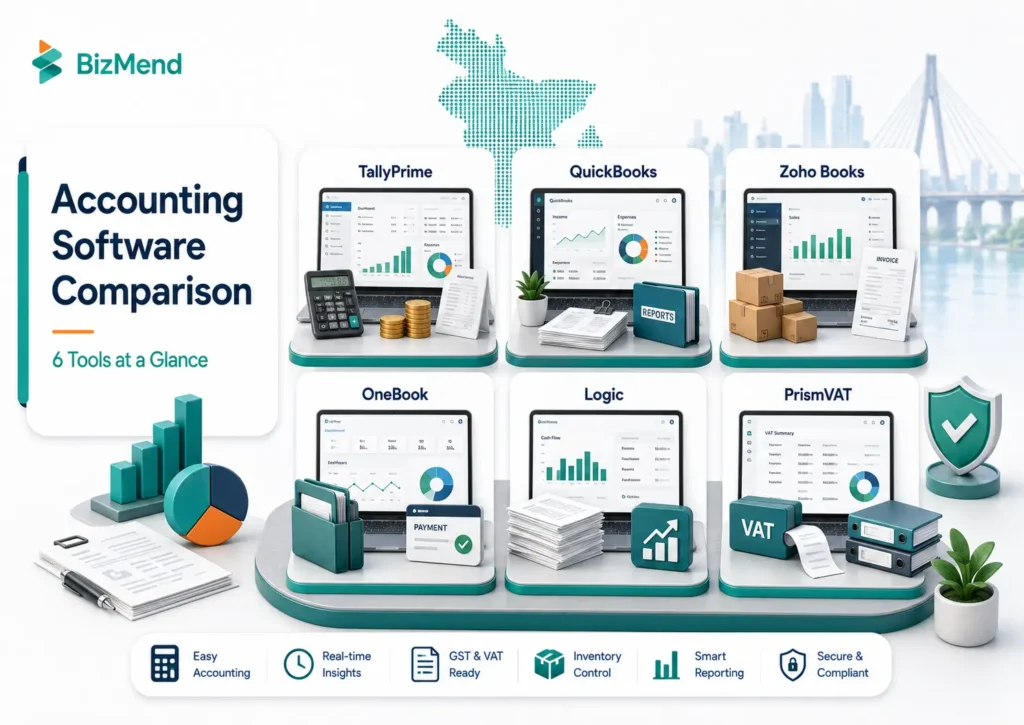
| Software | Best fit | Deployment | Bangladesh VAT fit | Inventory/payroll | Pricing approach |
| TallyPrime | Trading, distribution, and accountant-led SMEs | Desktop or hosted setup | Needs local configuration and output testing | Strong inventory; verify payroll edition/setup | Licence, renewal, and partner costs |
| QuickBooks Online | Service firms, agencies, and global-client businesses | Cloud | Custom tax setup; not Bangladesh-specific by default | Inventory on higher plans; Bangladesh payroll not built in | Regional subscription and promotions |
| Zoho Books | Startups, freelancers, and cloud-first SMEs | Cloud and apps | Custom tax rates/templates; statutory output needs testing | Inventory from Professional; payroll usually separate | Free plan plus tiered subscriptions |
| OneBook | Local retail, wholesale, and growing SMEs | Bangladesh-hosted cloud ERP | Local tax-management orientation | Accounting, inventory, sales, and purchase modules | Store price or vendor quotation |
| Logic Platform Accounts | RMG, manufacturing, and integrated operations | ERP implementation | Local VAT and finance ecosystem | Connects with industry, HR, and ERP modules | Project-based quotation |
| PrismVAT | VAT-heavy businesses needing specialist compliance software | Web, cloud, or on-premise | NBR-enlisted provider and VAT-focused system | Not a complete replacement for payroll/accounting ERP | Implementation and support quotation |
| Update note – 15 July 2026: Pricing, plan limits, integrations, and compliance features can change. Zoho Books global pricing was checked on 15 July 2026. QuickBooks prices vary by region and promotion. Tally and local Bangladesh products may require current reseller or vendor quotations. Always run a demo using your own invoice, VAT, inventory, and reporting workflow before purchasing. |
TallyPrime remains a familiar option for accountant-led businesses that need accounting, inventory, banking, invoicing, ledgers, receivables, payables, and financial reports, but Bangladesh VAT outputs, payroll setup, remote access, and backups should be tested with the implementation partner. It can be a practical fit for trading, wholesale, distribution, and businesses whose finance team prefers keyboard-driven desktop accounting.
Familiar workflows can reduce training, but Bangladesh tax formats, remote access, payroll, backups, and multi-branch use depend on the licence and implementation partner.
QuickBooks Online is a cloud accounting platform with invoicing, income and expense tracking, reports, bank feeds, accountant access, bills, multi-currency support, and app integrations. QuickBooks’ global pricing page shows inventory tracking and project profitability in Plus, while Advanced adds a custom report builder, workflow automation, and more advanced access controls; pricing and availability can vary by country and offer period.
Agencies and exporters that receive international payments in Bangladesh should test multi-currency reporting before choosing QuickBooks or another cloud accounting tool. It is not a Bangladesh-specific VAT or payroll system, so test tax mapping, bank feeds, payment methods, and local reports.
Zoho Books combines invoicing, expenses, journals, vendor management, bank reconciliation, recurring invoices, financial statements, tax-rate setup, customer portals, and mobile access. On the Zoho Books US pricing page checked during review, Zoho listed a free plan; Standard at US$20 monthly or US$15 monthly with annual billing; and Professional at US$50 monthly or US$40 monthly with annual billing; prices are region-specific and exclude local taxes. Prices exclude local taxes and may vary by market.
Professionals add sales and purchase orders, multi-currency, project profitability, and inventory. Zoho states that it uses two-factor authentication and SSL encryption.
Custom tax rates do not ensure NBR compliance. Test a VAT invoice, credit note, purchase workflow, and accountant report before adoption.
OneBook is a Bangladesh-developed web-based ERP that describes itself as a solution for accounting, inventory, sales, purchase, and tax management; buyers should demo VAT outputs, branch control, backups, permissions, and reporting before adoption. Its official product page highlights party ledgers, financial reports, sales and purchase records, multiple inventories, cheque tracking, delivery workflows, invoices, and stock analysis.
Its local operating focus suits retailers, wholesalers, and distributors. In a demo, test branch access, permissions, exports, backups, VAT outputs, integrations, and transaction-volume performance.
Logic Software is listed on NBR’s enlisted software firm page, and the vendor markets its wider Platform ERP environment for RMG, textile, payroll, VAT, and multi-vertical operations; buyers should still verify the exact accounting/VAT module, deployment, and compliance output before purchase. Its broader product environment includes RMG, textile, retail, HR, payroll, VAT, production, and fixed-asset modules.
This system suits factories, buying houses, RMG operations, and multi-departmental businesses. Define process mapping, migration, training, user roles, and support before accepting a quotation.
PrismVAT is different from general accounting software. It is a VAT-focused web application from Divine IT Limited, which appears on NBR’s enlisted software-firm list; treat it as a specialist VAT-management layer unless the vendor confirms the full accounting scope you need. The vendor describes file import, third-party API integration, VAT reports, production processing, and cloud or on-premise deployment.
It suits VAT-heavy businesses that already have accounting or ERP software. Treat it as a specialist VAT layer, not a replacement for bookkeeping, payroll, budgeting, or management accounting.
International tools often lead in cloud automation, mobile apps, integrations, and multi-currency work. Local tools often lead in Bangladesh support, VAT discussions, and tailored implementation.
Choose the system that completes the monthly workflow with the least re-entry. A global accounting platform plus local VAT software works only when data transfer is reliable.
1. Core bookkeeping: general ledger, receivables, payables, journal entries, chart of accounts, and period closing.
2. Invoicing: quotations, recurring invoices, credit notes, discounts, tax fields, custom templates, and approval controls.
3. VAT readiness: Businesses should keep clean sales, purchase, VAT, and income tax return in Bangladesh records before relying fully on accounting software.
4. Inventory: stock by location, purchase orders, sales orders, batch or serial tracking, valuation, and cost of goods sold.
5. Payroll: features should support salary entries, deductions, payslips, and provident fund in Bangladesh records where applicable or a reliable integration.
6. Bank reconciliation works better when personal and company transactions remain separate, and the business maintains clean bank records for receipts, payments, and matching transactions.
7. Reporting: profit and loss, balance sheet, cash flow, aging, project profitability, budgets, and department or branch analysis.
8. Security and control: two-factor authentication, role-based access, backups, audit logs, encryption, and data export.
9. Support: migration, training, local response time, accountant access, documentation, and a clear service-level agreement.
NBR publishes VAT resources and an enlisted software-firm list, but appearing on that list should not be treated as a guarantee that every version, module, customization, or taxpayer workflow is automatically compliant. This does not mean every Bangladeshi business must buy one specific product. It means VAT-registered businesses should confirm that their process, invoice, records, and software outputs match the requirements that apply to them.
Before buying VAT invoice software, Bangladesh businesses should review the NBR’s VAT invoice and recordkeeping guidance, then ask the vendor to create a real sample transaction. Check the sales invoice, purchase entry, credit or debit note, withholding treatment where relevant, return reports, audit trail, and data export. Have the workflow reviewed by the person responsible for your VAT compliance.
The subscription price is only one part of the budget. International tools may charge by plan, organisation, user, inventory tier, add-on, or transaction limit. Local systems may quote software, implementation, data migration, training, custom reports, hosting, annual support, backup, and branch licences separately.
Businesses should also consider income tax in Bangladesh 2026 rules when comparing software cost, records, and reporting needs. For a local implementation, define the number of users, branches, legal entities, integrations, opening balances, historical data, custom reports, and support hours in writing.
| E-commerceBusiness type | Practical shortlist | Why |
| Freelancer or small agency | Zoho Books or QuickBooks Online | Cloud invoices, expenses, reports, multi-currency, and accountant collaboration |
| Retail or wholesale SME | TallyPrime or OneBook | Inventory, purchasing, sales, receivables, and operational control |
| Ecommerce seller | Zoho Books, QuickBooks Online, or local ERP | Choose by marketplace integration, stock locations, and payment reconciliation |
| RMG, factory, or buying house | Logic Platform Accounts or broader ERP | Finance must connect with production, payroll, inventory, and fixed assets |
| VAT-heavy established business | Accounting/ERP plus PrismVAT or another verified local VAT solution | Specialist statutory reporting and integration may matter more than basic invoicing |
| Startup with simple books | Zoho Books Free/Standard after workflow testing | Low entry cost and cloud automation without immediate ERP complexity |
1. Write down the exact monthly workflow: sales, purchases, expenses, payroll, inventory, VAT, reconciliation, and reporting.
2. Shortlist no more than three products for a structured demo.
3. Enter real sample transactions and produce the reports your accountant needs.
4. Verify Bangladesh VAT and invoice requirements with a qualified professional.
5. Test user permissions, mobile access, bank import, data export, and backups.
6. Compare three-year total cost, not only the advertised monthly price.
7. Run a controlled pilot before replacing the current system.
The best accounting software in Bangladesh is the one that removes duplicate work while preserving accurate books, usable reports, and compliant records. A freelancer may need only cloud invoicing and expense tracking. A distributor may need stock, purchase orders, and receivables. A manufacturer may need a full ERP plus specialized VAT control.
Start with process requirements, not brand popularity. Test the software with real transactions, involve your accountant, confirm data ownership, and compare total cost over several years. A well-fitted smaller system is usually safer than a powerful platform your team cannot operate consistently.
Zoho Books is a practical cloud shortlist for many small service businesses, while TallyPrime or OneBook may fit inventory-led SMEs better. The answer depends on VAT, stock, payroll, users, integrations, and accountant preferences.
Bangladeshi businesses can assess the global QuickBooks Online offering, but regional pricing, payment method, bank feeds, payroll, and local tax workflows must be checked before subscribing. It is not a Bangladesh-specific statutory platform.
Zoho Books supports custom tax rates and invoice templates, but a business should not assume that these automatically meet every Bangladesh VAT requirement. Create sample documents and have the workflow reviewed before adoption.
TallyPrime is commonly deployed as desktop accounting software. Remote or cloud-style access may be provided through hosting or partner arrangements, so security, backup, performance, and licence terms should be confirmed.
Requirements depend on the business, VAT status, activity, and applicable NBR rules. NBR publishes VAT resources and lists of enlisted software firms and approved users. Confirm the requirement for your organisation instead of relying on a software sales claim.
Not necessarily. A separate payroll system can work well if approved salary journals, employee liabilities, bank payments, and reports integrate cleanly with accounting. Avoid manual re-entry that creates reconciliation errors.
Review the fit at least annually and before major changes such as VAT registration, a new branch, ecommerce expansion, manufacturing, international sales, or a significant rise in users and transaction volume.

Learn how to become a Daraz seller in Bangladesh, register an account, list products, understand fees, manage orders, and grow…
by Sheikh Ornob

Compare the cost of living in Bangladesh in 2026, including Dhaka and Chittagong rent, food, transport, utilities, inflation, and monthly…
by Sheikh Ornob

Learn MoA and AoA requirements in Bangladesh, key clauses, drafting basics, RJSC filing steps, amendments, and common company-registration mistakes. Suggested…
by Sheikh Ornob