
How to Become a Daraz Seller in Bangladesh: Registration, Fees & Growth
Learn how to become a Daraz seller in Bangladesh, register an account, list products, understand fees, manage orders, and grow…
 by Sheikh Ornob

Learn how to file an income tax return in Bangladesh through NBR e-Return, from TIN login and documents to payment, review, and submission.
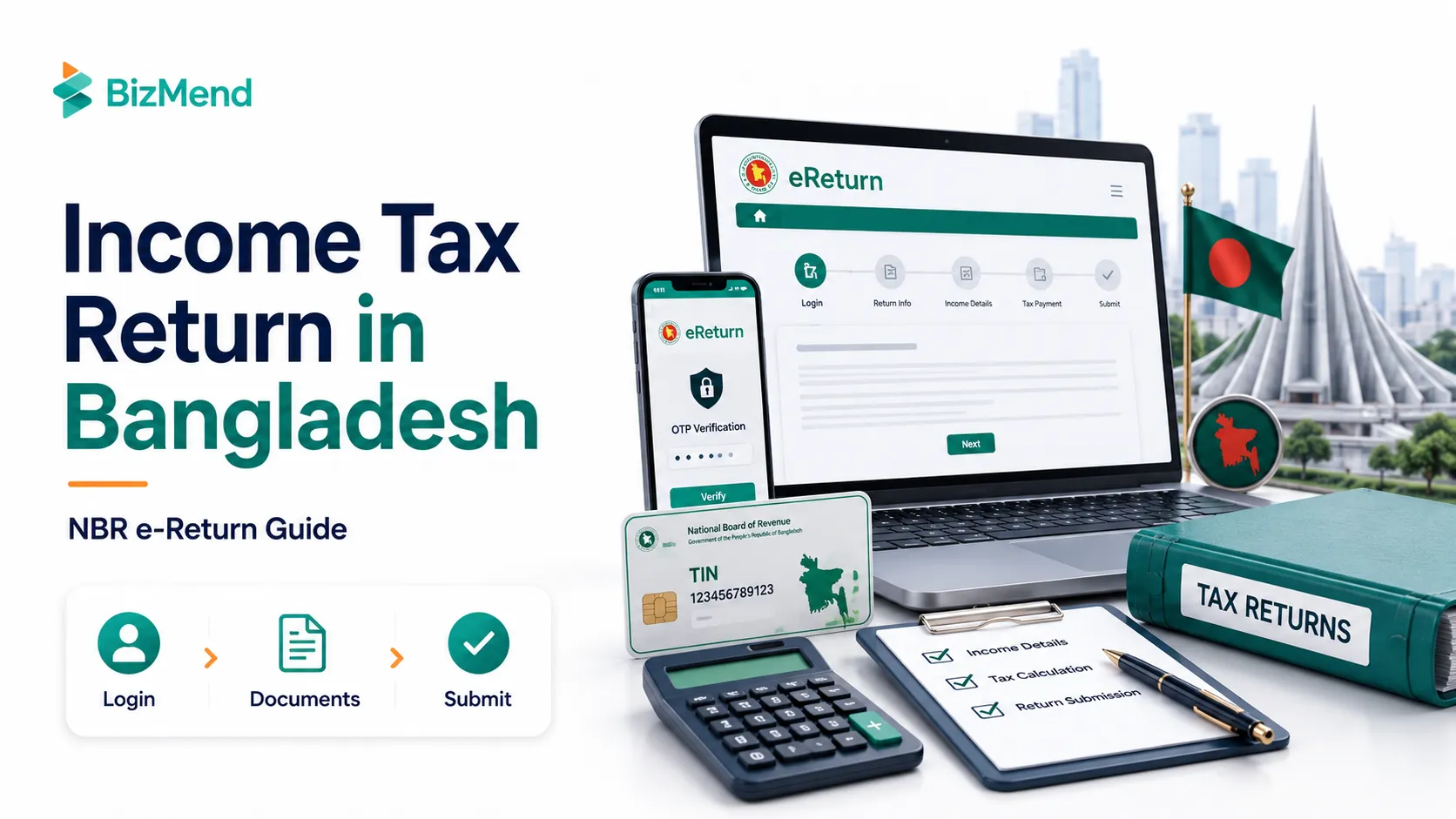
You may not know that you’re supposed to file. But the NBR does, and it isn’t waiting. The problem is the portal looks official, the fields feel loaded, and one wrong entry can make a first-time filer freeze.
In Bangladesh, understanding tax and actually submitting your return are two different jobs. The NBR e-Return system handles the filing side, but you still need the right documents, the right income buckets, and the patience to review before you submit. This guide walks you through the practical flow from login to acknowledgement receipt.
Quick answer: In Bangladesh, you file your personal return through the NBR e-Return portal at etaxnbr.gov.bd after registering with your TIN and a biometric verified mobile number. Prepare your income records, source tax details, bank and asset data, then complete the tabs, review the preview, pay any balance due, and submit.
Start with the legal trigger, not the panic. According to the NBR, filing is mandatory if your total income crosses the tax-free threshold. It is also mandatory in several practical cases even before income becomes the whole story. Being a partner in a firm, a shareholder, a public servant, or a salaried person in an executive or management position or simply being a TIN holder subjects you to filing an income tax return.
NBR’s published list also ties return filing to many real-life actions. That includes maintaining certain licenses, opening higher-value accounts, getting some utilities and approvals, and proving compliance in places where return submission is required. For many Bangladeshis, the return is not just a tax form. It is a compliance document that keeps other doors open.
A useful planning rule: for an ordinary individual taxpayer, the NBR FAQ treats 30 November as Tax Day. Special orders can extend the live deadline, so use 30 November as your default target and then confirm the current notice before the last week.

This part saves more time than any portal trick. Most e-Return frustration comes from starting too early with too little. Open the system only after you can answer three questions without searching your phone gallery: what you earned, what tax was already deducted, and what assets or liabilities still belong to you at year-end.
| Prepare This | Why It Matters | Typical Source |
|---|---|---|
| TIN and mobile number | You need both to register or sign in. | eTIN record and your own SIM |
| Salary or income records | The portal only works smoothly when your income figures are ready first. | Salary statement, invoices, rent record, bank advice |
| Source tax and advance tax proof | This supports tax credits and reduces mismatches in tax & payment. | Salary TDS, bank certificates, challan, AIT details |
| Bank, savings, and investment data | Interest income, dividend, and Sanchaypatra details are often where people get stuck. | Bank statement, certificate, portfolio note |
| Rebate and deduction support | Claim only what you can explain if asked later. | Life insurance, approved donations, DPS, or pension proof |
| Asset and liability snapshot | NBR asks for a full picture, not just the year’s income. | Cash, deposits, land, flat, car, loans |
Keep soft copies in one folder and name them plainly. Salary 2025. Bank TDS certificate. Insurance premium. Challan. That sounds almost too simple, but it matters. NBR FAQ material explicitly warns that mismatched data between the Income section and Tax & Payment section creates validation problems. Clean folders reduce messy returns.
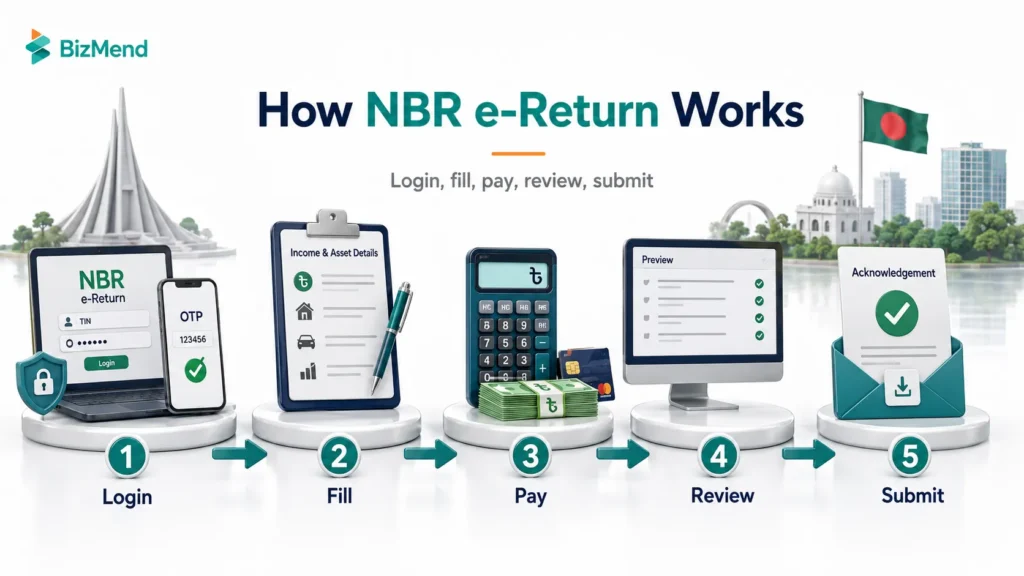
The registration flow is straightforward once your TIN and mobile number are aligned. The official user manual says a new user must have a TIN and a biometric verified SIM number to create an e-Return account.
Once you are inside, think of the portal as a set of functional zones. e-Return is where you prepare and submit. Return Verify or PSR lets you check submission status. eTaxService is the support route when something technical blocks you. If your TIN profile has old details after an NID correction, update the TIN side first and then use the sync option rather than fighting stale data on the return page.
Fill the return in the same order the evidence exists on your desk. That usually means profile and assessment basics first, income second, tax credits third, and assets last. The portal becomes much easier when you stop trying to jump around.
Confirm your tax year, personal details, address, and jurisdiction first. A wrong address or zone will not always stop the draft, but it can create confusion later if support or follow up is needed. This is the boring part, which is exactly why it should be done carefully.
Salary goes under salary. Bank interest, dividends, and savings certificate income belong with financial assets and related income fields. Regular consulting, freelancing, legal practice, medical practice, or similar recurring professional earnings usually need to be treated like business or professional income, not thrown into a vague other income bucket because it feels faster.
Use the simplest rule possible: pick the income head that best describes how the money was earned in real life. If you were to have to explain the transaction to a tax officer, write it in the same logic now.
This is where first-time filers start rushing, which is a mistake. Rebate claims should be evidence-backed. Expenditure and asset entries should also line up with your financial reality. If you bought a car, closed a deposit, took a loan, or still hold a flat, the return should not pretend otherwise. You are not filing a mood board. You are filing a record.
The portal is patient before submission. It gets much less forgiving after.
Taxes and payments are where many filers expect magic. Sometimes the portal helps. Sometimes it only helps if you set up the earlier sections correctly. The official manual explains that the system can verify some claims directly, including certain salary data from iBAS, some car AIT entries, and some savings certificate-related items. Other claims still need later verification by tax officials.
If your salary tax, bank interest tax, dividend tax, or Sanchaypatra tax was already deducted, update that information carefully. In some places the system offers a sync income function. Use it when available. It reduces the classic mistake where the income figure and the claimed tax figure do not match, which is exactly the sort of mismatch NBR warns about in its FAQ.
If tax is still payable after calculation, the manual says the portal will show a Pay Now path. Payment options include online banking, cards, and mobile banking channels. Once payment is complete, you return to the filing flow, move to the final preview, check the summary one more time, and then submit.
After submission, the portal immediately makes the record useful. The NBR manual states that your return certificate is shown instantly and the Tax Record menu can provide the TIN certificate, acknowledgement receipt, express certificate, challan, and return copy. Download them all the same day. Filing is not finished until the files are saved somewhere sane.
If you do submit with a real error, act quickly. NBR FAQ material refers to a 180-day correction window, but current correction handling can depend on the nature of the mistake and the latest instructions. The practical answer is simple: do not sit on it. Check the portal guidance immediately and contact your tax circle if the error matters.
This is usually the cleanest filing path. Your priorities are salary certificate accuracy, source tax accuracy, bank interest disclosure, and making sure rebates are documented. If part of your salary tax is visible through official systems and part is not, do not assume the portal will merge everything for you. Reconcile it yourself first.
A freelancer’s problem is rarely the portal. It is classification. If your income comes from repeating client work, invoices, retainers, or professional services, keep proper earnings records and think like a business operator when you prepare the return. The portal can only reflect what your records already make clear.
If you run a sole proprietorship or an owner-managed business, your personal return often sits right beside your operational paperwork. That means trade license, books of account, current account activity, and tax payment records should all line up. A personal return cannot stay clean for long if the underlying business records are chaotic.
A straightforward salary return is usually manageable on your own. DIY works for simple cases. But it stops being smart when you are guessing through cross-border facts or mixed business records. At that point, it’s better to get professional help with your tax return filing.
Filing an income tax return in Bangladesh should feel methodical, not mysterious. If your documents are clean and your entries match what the NBR system expects, the portal becomes a checklist, not a threat. Start early, review twice, save every certificate, and treat submission day like a records job because that is exactly what it is.
No. You need a valid TIN to use the NBR e-Return system. If you have never registered, handle TIN registration first, then come back to e-Return. The portal also expects a mobile number that matches the registration flow, so do not leave that step half done.
You should have income records, tax-deducted-at-source evidence, bank and investment statements, challan details for any tax you already paid, and a current asset summary. A filer who starts without documents usually finishes with guesswork, and guesswork is how avoidable mistakes get submitted.
NBR has shifted strongly toward online filing, and current-year orders can make e-Return mandatory for most individual taxpayers. Some categories may still be treated differently in a given year, so check the latest NBR order or portal notice before assuming you qualify for an exception.
For an ordinary individual taxpayer, NBR’s FAQ states that Tax Day is 30 November each year. That said, special orders can extend or adjust the practical deadline. The safe move is simple: treat 30 November as your planning target and confirm the current notice before filing week.
Yes, but do not wait around. NBR FAQ material refers to a 180-day correction window, while route-specific instructions can vary by case. If you spot a real error after submission, check the portal guidance immediately and contact your tax circle or support channel before the issue hardens into a bigger problem.
Once the return is submitted successfully, the system shows your return certificate right away. From the Tax Record menu, you can download the acknowledgement receipt, express certificate, challan, TIN certificate, and the return copy itself. Save them that day. Do not trust yourself to remember later.
In many real cases, regular professional income belongs under “business or profession,” not as a random other source. That is especially true if you are invoicing clients consistently. The exact bucket still depends on your facts, so match the income head to the nature of the work instead of picking the easiest label.
You still have to file the return and claim the tax credit properly. The system can verify some credits directly, while others need careful manual input or a sync step from the income section. If the figures do not match across sections, the portal may block or confuse the claim.

Learn how to become a Daraz seller in Bangladesh, register an account, list products, understand fees, manage orders, and grow…
by Sheikh Ornob

Compare the cost of living in Bangladesh in 2026, including Dhaka and Chittagong rent, food, transport, utilities, inflation, and monthly…
by Sheikh Ornob

Learn MoA and AoA requirements in Bangladesh, key clauses, drafting basics, RJSC filing steps, amendments, and common company-registration mistakes. Suggested…
by Sheikh Ornob